 Currencies
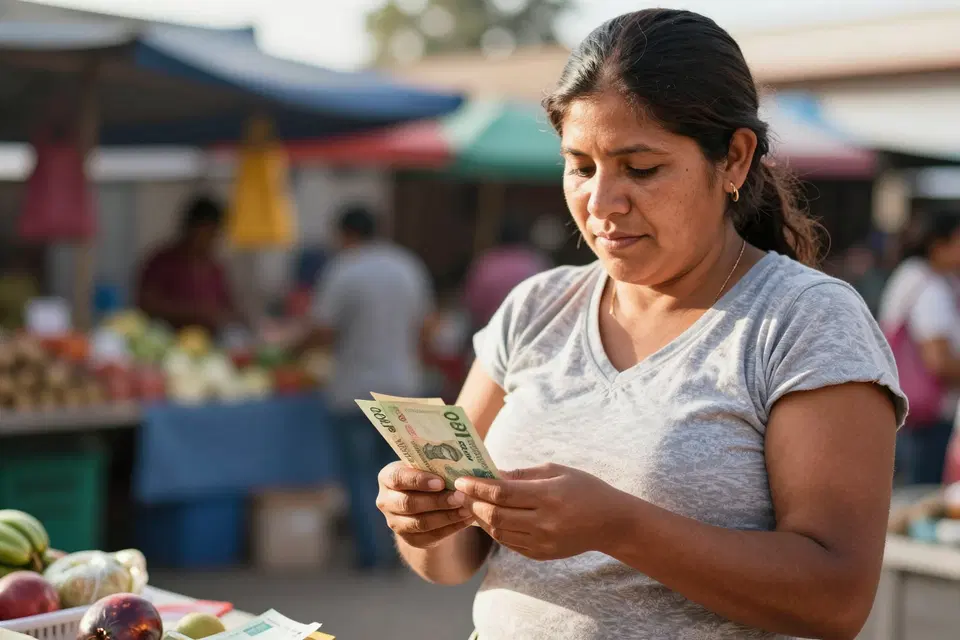
Someone in Manila needs cash by Friday. Someone in Lagos is paying a supplier. Someone in Chicago is sending rent home to Guadalajara. All three will probably open the same two apps or walk into the same two agent counters. MoneyGram and Western Union have been the default names in remittances for decades, and for plenty of people the choice comes down to whichever shop is closer.
That's an expensive way to decide. The two services look almost identical from the outside and behave quite differently once you start pricing a specific route. Here's how they actually stack up.
Where the two are genuinely interchangeable
On the fundamentals, this comparison is close to a coin flip. Both move money to more than 200 countries and territories. Both pay out in cash at agent locations, deposit into bank accounts, and push to mobile wallets on supported corridors. Both let you start a transfer online, in an app, or over a counter, and both let the recipient collect without a bank account, which is still the single biggest reason people use either one.
Coverage leans slightly toward Western Union, which runs roughly 500,000 agent locations worldwide against MoneyGram's 350,000 or so. That gap matters most in small towns and rural areas. In a major city you'll usually find both within a few blocks of each other.
Fees: the sticker price is only part of the story
Both companies price per corridor, so a $500 transfer to Mexico, India or Kenya costs a different amount each time, and the funding method changes it again. Paying by debit or credit card usually adds a surcharge. Paying cash at an agent often costs a few dollars more than sending online.
As a rough guide, a few hundred dollars to a high-volume corridor often lands between $5 and $15, while thinner routes or bank-account delivery can run considerably higher. Western Union's online pricing tends to undercut its own counter pricing by a noticeable margin, and MoneyGram follows a similar pattern. Before you commit, it's worth reading up on the fees MoneyGram charges and where they hide, because the advertised transfer fee is rarely the full cost.
The exchange rate is where most of the money goes
This is the part that decides the real winner on most transfers. Both companies apply a margin to the exchange rate before your recipient ever sees it. That margin might be 1% on a high-volume pair like USD to MXN and 3% or 4% on a thinner one. On a $1,000 transfer, a 3% margin is $30, comfortably more than the fee itself.
The rate quoted at the counter or in the app already includes that margin, and it isn't itemised anywhere. MoneyGram's exchange rate isn't the mid-market rate, and the same holds for Western Union. The only fair comparison is the final number: how many pesos, rupees or naira actually arrive at the other end.
How to compare two quotes in about two minutes
- Write down the exact payout amount each service promises, in the recipient's currency.
- Divide what you're sending by the payout figure to get the effective rate.
- Look up the mid-market rate from a neutral source on the same day.
- Turn the difference into a percentage. That's your hidden cost on top of the fee.
- Add the transfer fee and any card surcharge to get your total cost of sending.
A transfer with a $0 fee and a poor rate can easily cost more than one with a $12 fee and a fair rate. The fee is the number both companies want you to look at, which is precisely why you shouldn't stop there.
Speed: minutes versus business days
Cash pickup is where both are strongest. Fund a transfer with a card, or hand over cash at an agent, and the recipient can often collect within minutes, assuming the corridor is open and compliance screening doesn't flag the transaction. Bank deposits typically take one to three business days, and mobile wallet delivery lands somewhere in between depending on the provider.
Several things slow a transfer down: first-time senders, larger amounts, weekend cutoffs, and recipients in countries with currency controls or limited banking hours. MoneyGram transfer times vary more than the marketing suggests, so if the money has a hard deadline, send a day earlier than you think you need to. Western Union's timings follow the same logic and the same bottlenecks.
Limits, ID checks and the paperwork
Neither company lets you send unlimited amounts without verification. Both run tiered limits tied to your identity status, the destination country and how you fund the transfer. An unverified account might cap out at a few hundred dollars, while a fully verified sender with documented source of funds can move far more. MoneyGram's transfer limits shift by corridor and account level, and Western Union's thresholds differ by country too, so a limit that's fine for a US-to-Mexico send may block a transfer to a stricter jurisdiction.
Both will ask for government ID at some point, and both run sanctions and anti-money-laundering screening. When a transfer gets held, the cause is usually pattern matching rather than the amount itself: an unusual destination, a name mismatch, or the first payment to a brand-new recipient.
Apps and payout options
The digital experience is broadly even. Both apps let you save recipients, repeat transfers and track status, and both show the fee and rate before you confirm. Western Union has pushed further into its own account products and digital wallets in select markets. MoneyGram has leaned on partnerships to widen its digital payout network, which sometimes means a wallet option exists on one service and not the other for the same country. Check the specific corridor rather than assuming parity.
One practical difference worth noting: Western Union's agent network includes a large number of supermarket and convenience-store counters, which makes a cash-funded send convenient at odd hours. MoneyGram's footprint skews toward dedicated money transfer shops and bank branches in many markets.
Which one to pick for common situations
- Cash pickup in a small town or rural area: Western Union usually wins on reach alone.
- Online transfer funded by card to a major corridor: compare both at the same amount and payment method, because $10 to $20 differences on a $500 send are normal.
- Delivery to a mobile wallet or specific bank: verify support for that exact route before you build a habit around it.
- Monthly recurring transfers home: look past both. Bank-to-bank specialists often beat them on rate, as this MoneyGram vs Wise comparison shows, because the margin is thinner.
Pricing the same transfer twice before you commit
The honest answer to MoneyGram vs Western Union is that neither wins permanently. Their rates move with currency markets, their promotional pricing rotates, and the cheaper option on a Tuesday can be the pricier one next month. What stays constant is the method: price the exact transfer you intend to make, not a generic example.
Plug in the real amount, the real destination and the real funding method on both sites. Note the fee, the rate, the payout amount and the promised delivery window. Then run one more quote through a bank-to-bank alternative for comparison. It takes five minutes and routinely saves $15 to $40 on a mid-sized transfer. Do that twice, and you'll know which service deserves your saved card for the next few years, and which one was only ever the shop that happened to be closer.